Rabu, 11 September 2013

Grive, a Google Drive Client for Ubuntu

If you use Google Drive at all like me, you may want a client to make the use of Google Drive a built in option for Ubuntu.

I personally have no problem just using the web interface, but I do not back up mass items to Google Drive, and I find myself using it too infrequently to monk with the options out there.

For those of you who are Google Drive users and want that built in cloud feeling you get with, say, Ubuntu One.. then here is a useful tool for you.

I should say useful tool(s), because you need 2 separate apps to accomplish this, grive and grive tools.

Grive tools is a gui for grive.

Here are the directions, thanks to Softpedia's Linux section. The article can be found in it's entirety here: http://news.softpedia.com/news/How-to-Install-a-Google-Drive-Client-on-Ubuntu-381532.shtml

Installing the dependencies

This is an easy step, which requires you to open a Terminal by searching it in the Unity Dash, and to paste the following code in the Terminal window:

sudo apt-get install -y git cmake build-essential libgcrypt11-dev libjson0-dev libcurl4-openssl-dev libexpat1-dev libboost-filesystem-dev libboost-program-options-dev binutils-dev libboost-test-dev libqt4-dev libyajl-dev expect zenity gksu libnotify-bin

Hit the Enter key, type your password when asked, and hit Enter again to start the installation process. Keep in mind that some of these packages might be installed on your system from previous application that needed them.
Review image
Installing Grive Tools and Grive

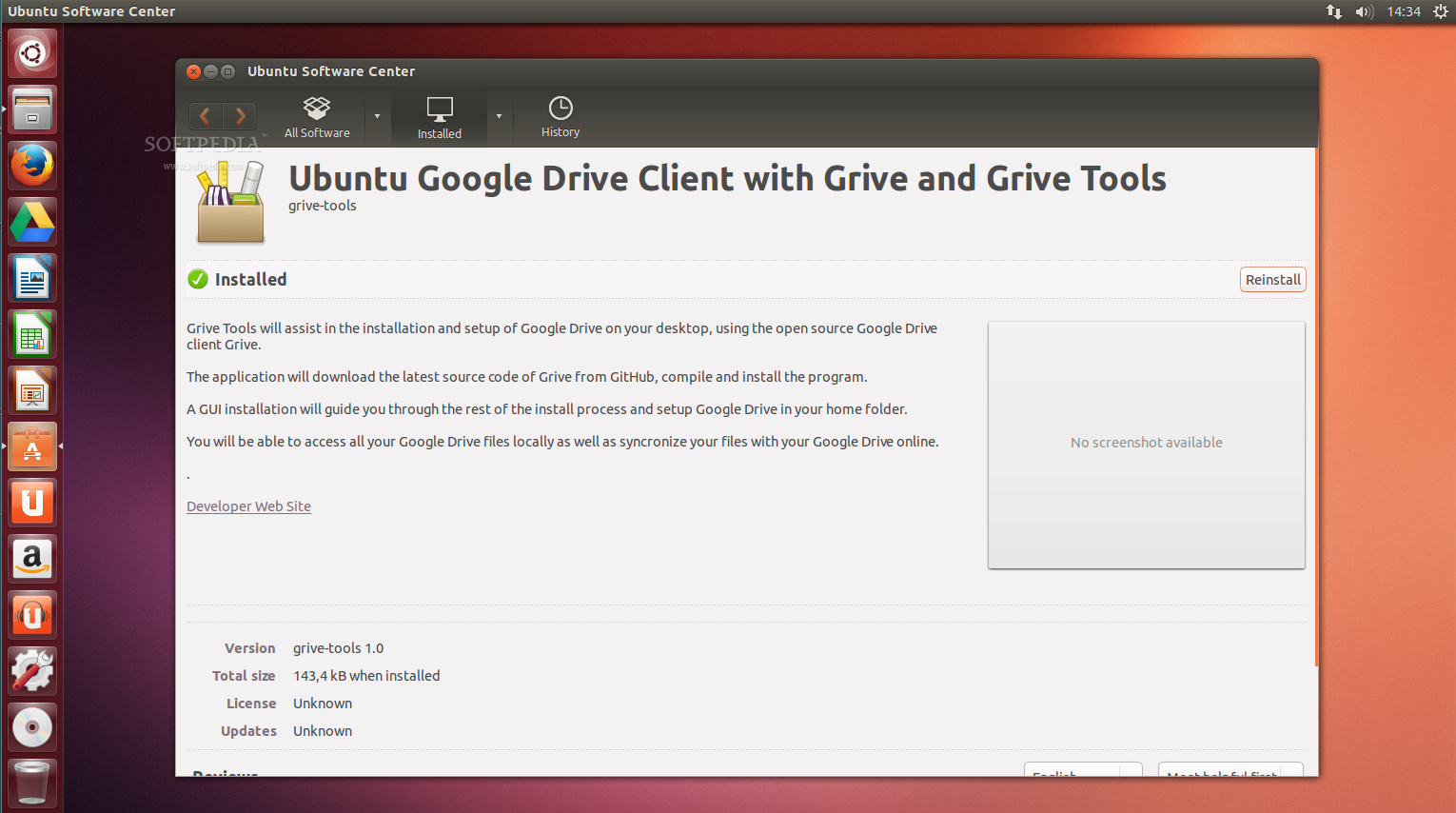
Download the Grive Tools package right now from here, save it on your desktop, and double click it when the download is finished. Ubuntu Software Center will open, which will allow you to easily install the application.
Review image

Once installed, search the application on the Unity Dash by typing Grive, and open it. The application will ask for your password, so insert it and click OK, and then it will start to download and configure the latest version of the Grive application, which will take some time.
Review image

Review image

Configure Google Drive for Grive

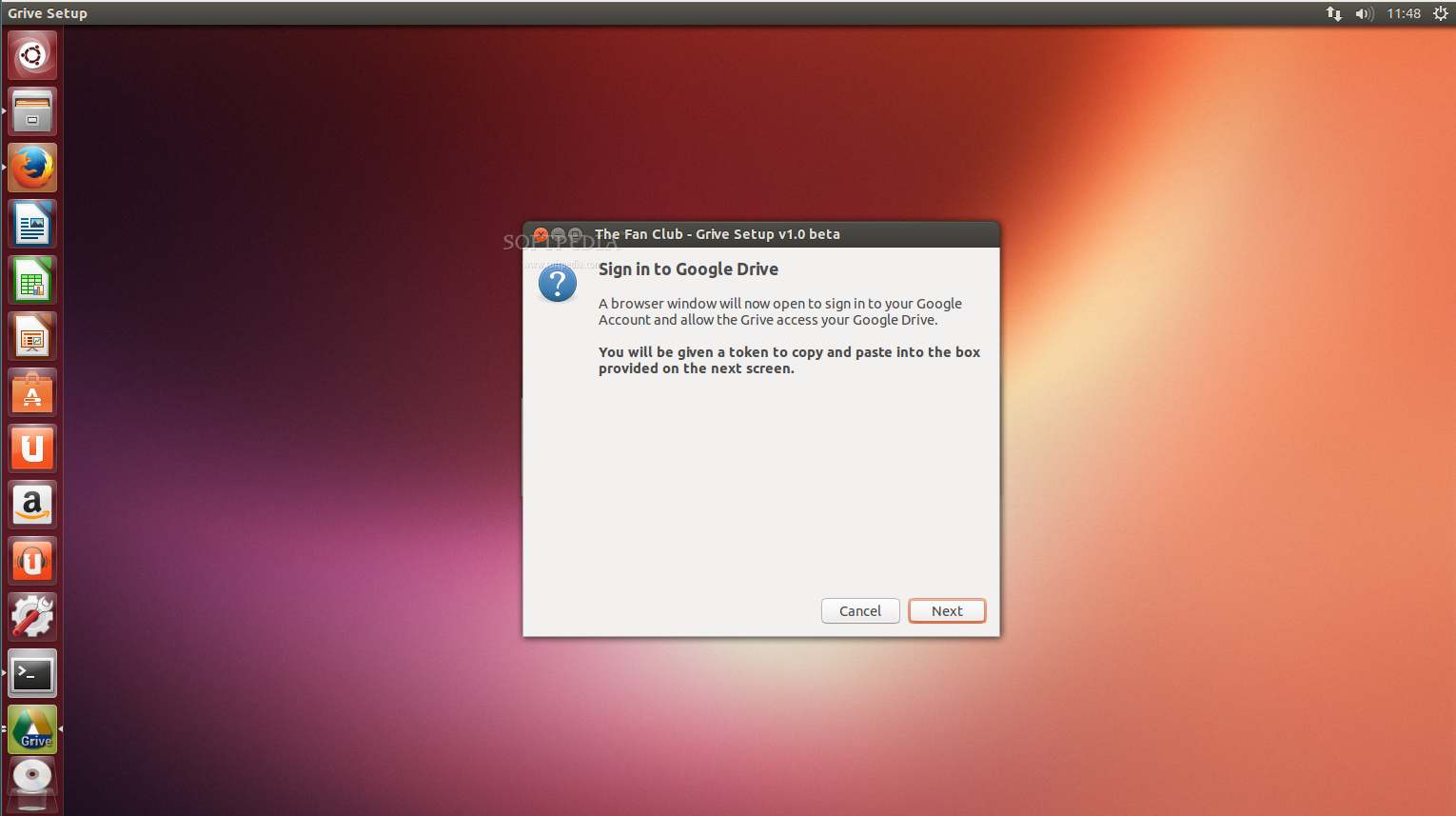
Now that the Grive Google Drive client for Linux has been installed, we need to configure it, in order to allow it to access your Google Drive account. Press the "Next" button when you see the following dialog...
Review image

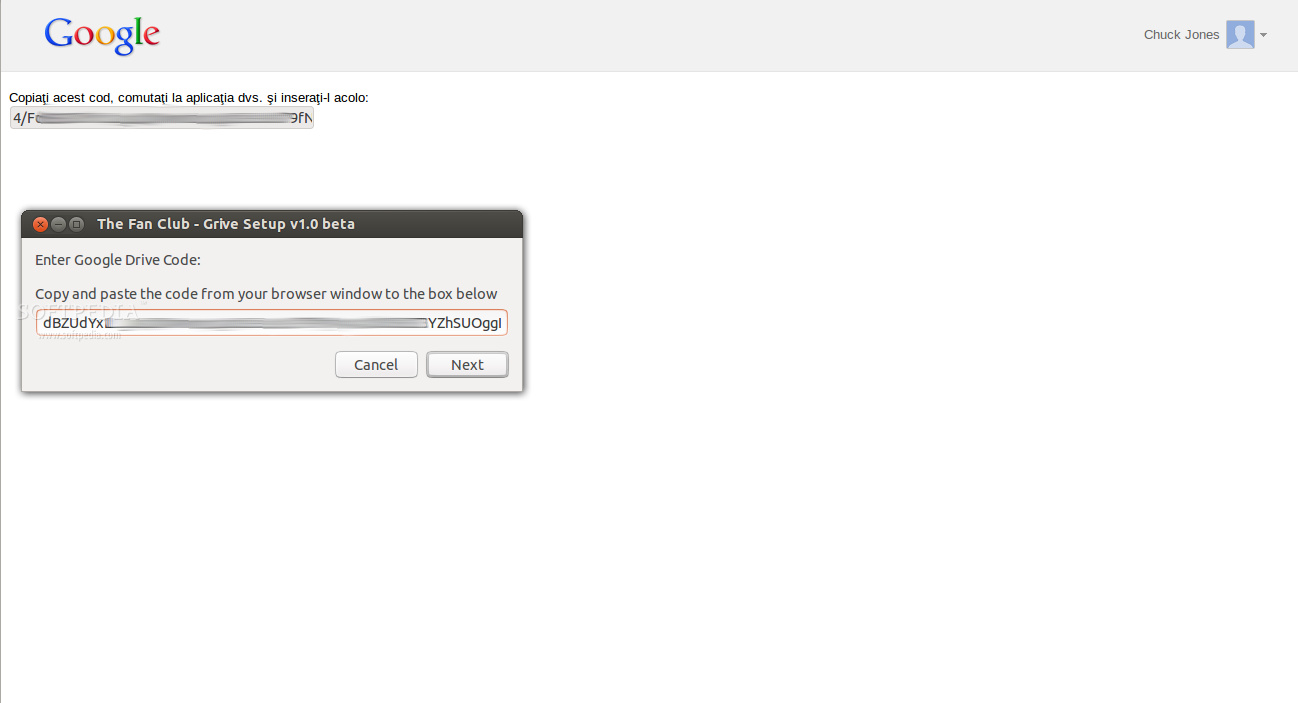
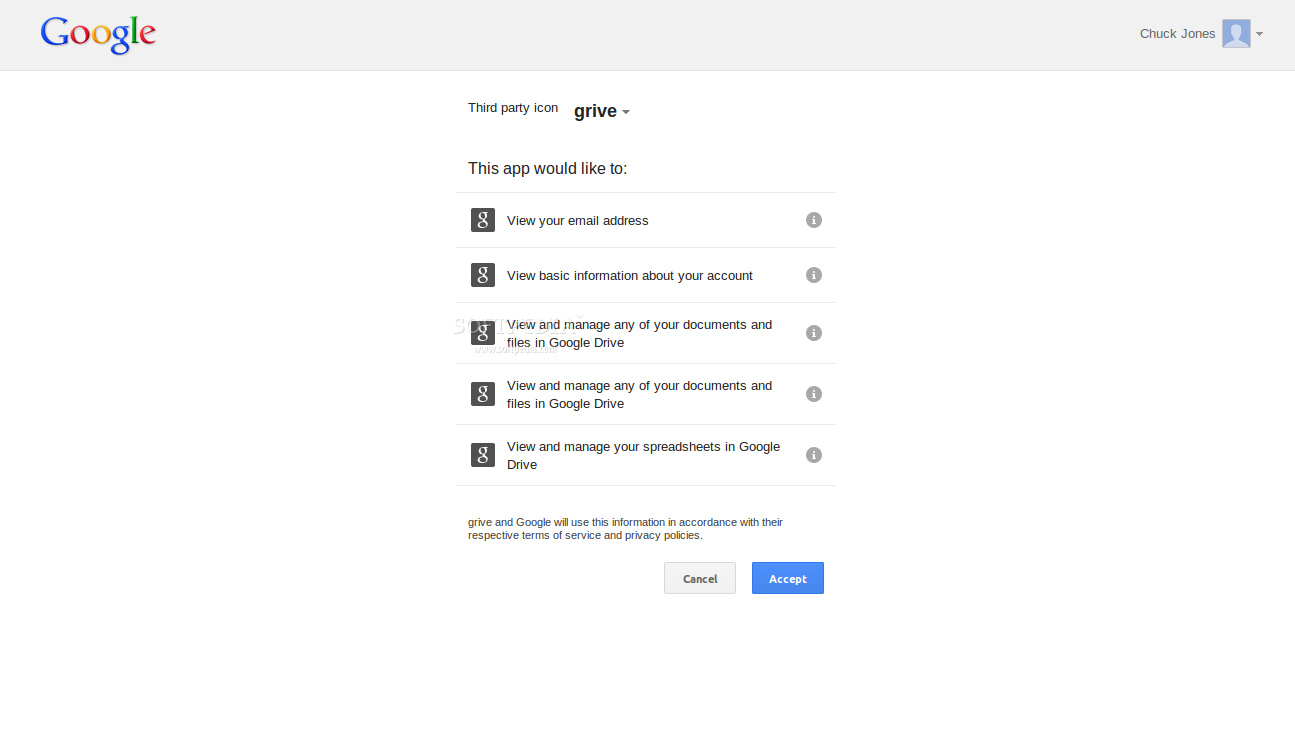
A web browser window or tab will open, asking you to log-in into your Google account (in case you are not already logged in) and to give the app permission to access your Google Drive. Click the blue "Accept" button and you will see a Google authentication code that you need to copy and paste in the Grive Setup dialog.
Review image

Review image

That's it! Your Google Drive files will be immediately downloaded from your Google account and placed into a folder called "Google Drive" in your Home directory. You will also see a desktop notification when the synchronization takes place.
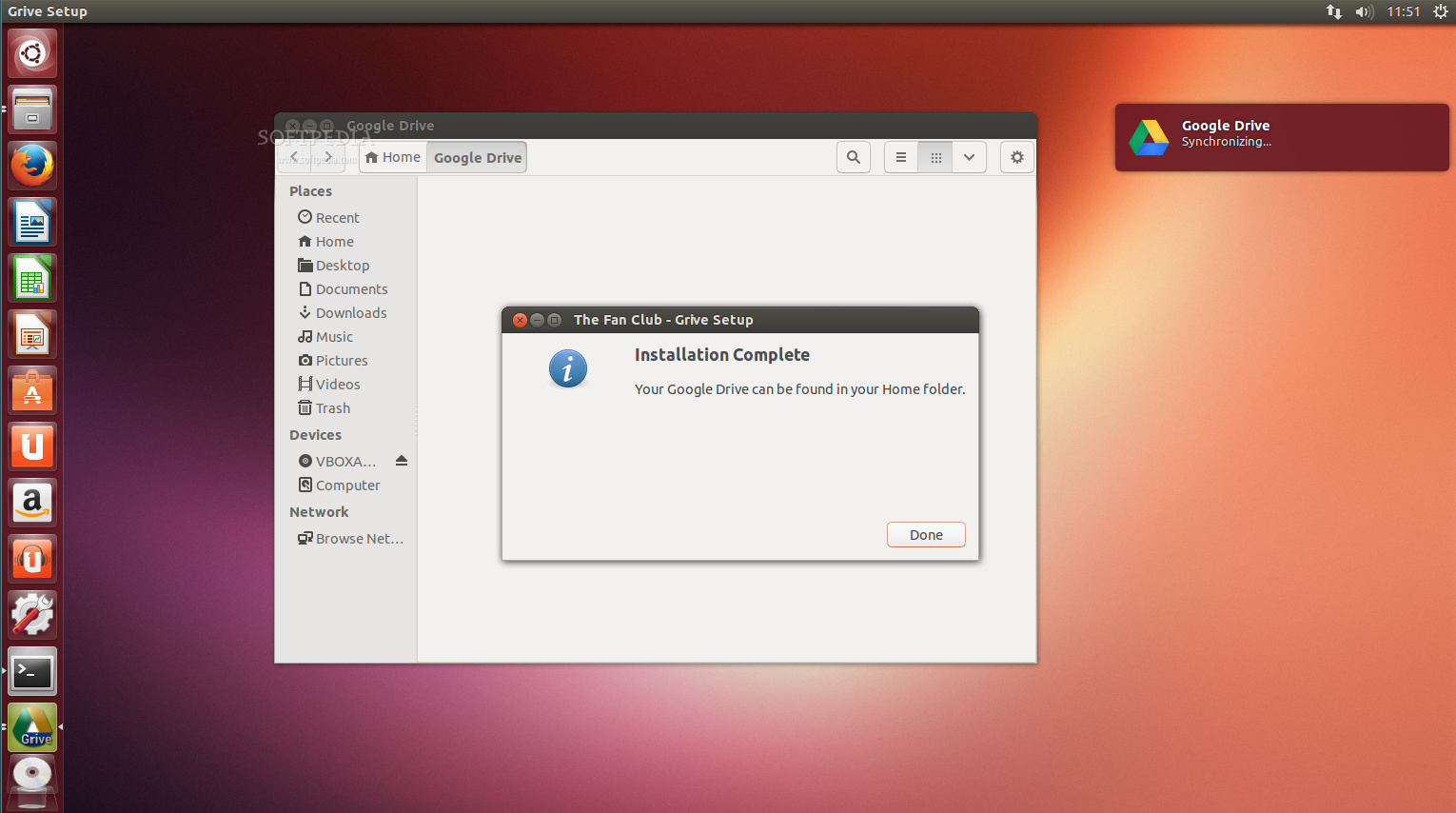
Review image

If you search "Google Drive" (without quotes) in the Unity Dash, you will see a Google Drive icon, which you can drag on your Unity Launcher. Right clicking on the Google Drive icon from the Unity Launcher will allow you to quickly sync your Google Drive account or access the local folder.
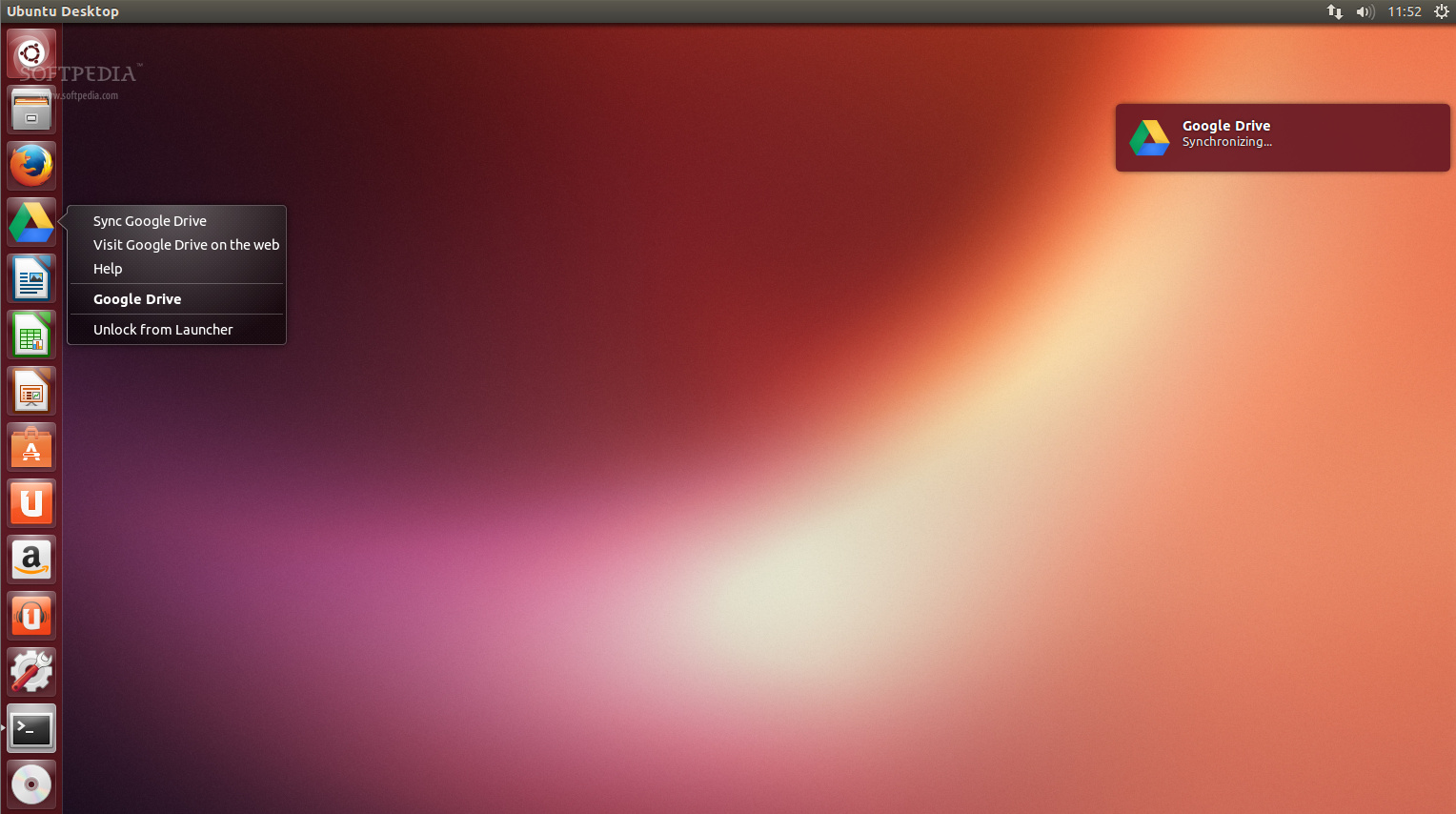
Review image
And that's that. You have successfully set up Grive and Grive Tools.

Jumat, 06 September 2013

The 2 x 2 inch $45 Android/Linux computer

This is the CuBox-I mini computer from SolidRun.

"It fits all of its hardware, including an HDMI port, IR receiver, and USB ports, into a 2-inch square black box. It runs Android and Linux. It's like a pet rock that's actually useful." -CNet/Amanda Kooser

As super small computers go, what's most impressive about this one is the price. At $45 starting, it's about as cheap as you are going to get.

This machine is best used for streaming media, hence the built in HDMI port and infra-red system being standard while a wifi option is just that, optional.

The comparison table on the models available is here: http://cubox-i.com/

I am impressed that for $45 dollars you get a decent graphics system and processor speed, for the purpose this is intended.

As a matter of fact, it sickens me that in 2002 I bought a system that was only marginally better than this one, and it cost me nearly 700 dollars.

This little 2 inch box comes with a single-core GC880 GPU and 512MB of memory.

SolidRun's last CuBox mini pc started at $120, just to give you some perspective.

The entire CuBox-i mini-computer line is currently available to preorder. They are all small enough and cheap enough to keep tinkerers, Android fans, and cheap-PC-seekers plenty well entertained.
(Via Linux Gizmos)

This system also promises to be easier to use, for those of us who don't want to program the bios to like you sometimes have to do with the Pi. (This information is not officially from SolidRun).

Remember Dick Tracy's watch? The way things are going, in 20 years he could have had a super computer on his wrist instead of just a communications device.

-Denny

Kamis, 05 September 2013

Search And Rescue Add On Pack, by me!


I released an add on pack today for Search And Rescue, the helicopter rescue game for Linux.

I usually don't do anything for video games, but I like flying my choppers, and had fun messing around with this. It turned out well enough to share with the world, so here goes.

Here is my readme file verbatim:

Crazy Denny's "Search And Rescue PC Game for Linux by WolfPack Entertainment" Add On pack

SAR's Website: http://searchandrescue.sourceforge.net/

Added vehicles:

Cars/Trucks: Ambulance, 'Cuda, Firetruck

Boats/Ships: Stanyou Pilothouse Yacht, US Coast Gaurd 378 High Endurance Cutter, JetSki

And a Flying Oil Rig.

*Car info: You are going to want to activate autopilot before accelerating, unless you like *bumpy* rides. -and- steering is done by holding ctrl and using the arrow keys simultaneously, otherwise you will fly her like a airplane.

Added map:

Denali, a desert map clone but with a lot more buildings, the yacht, the cutter, and the oilrig where added to give some more fun things to fly to/over. Denali has no people to save, it's just a nice fly around map.

Modified: as350 b47 hh60 hh65 ka27 s64 uh1d v22
What's modded: They go about 660 mph at full throttle now, can fly like airplanes using the y key, and don't run out of fuel.

*The hh60 will not get off the ground with her extra fuel tanks in chopper mode. You will either have to go into y mode and fly her off like an airplane, or drop the extra fuel tanks with ctrl-f.

*Nothing runs out of fuel.

Warning: The cars and boats may flash a lot until you change cameras, so be prepared.

The folders included need to be put into /usr/share/games/searchandrescue/. There are 2 folders, aircrafts & scenery.

Permissions will have to be changed to the /usr/share/games/searchandrescue/aircrafts and /usr/share/games/searchandrescue/scenery folders once you copy over the content. Root priv's should be set to read and write, and be exectuable.

The terminal command sudo chmod a+x /usr/share/games/searchandrescue/aircrafts/* && sudo chmod a+x /usr/share/games/searchandrescue/scenery/* should solve this problem.

You can also do this by typing gksu (name of file manager) i.e. thunar/nautilus/pcmanfm in terminal or run dialog, then go to /usr/share/games/searchandrescue/ and right click the folders, and choose permissions tab.

This readme and add on pack copyrighted September 5th, 2013 by Dennis Andrew Gutowski Jr. where applicable by law.

Please give me what credit is due, thanks!

Save my hinder from being sued statement:

TO THE EXTENT ALLOWED BY LAW, IN NO EVENT SHALL Dennis Andrew Gutowski Jr. OR ANY THIRD PARTY SUPPLIERS BE LIABLE FOR DIRECT, INDIRECT, SPECIAL, INCIDENTAL OR CONSEQUENTIAL DAMAGES, WHETHER BASED ON CONTRACT, TORT, OR ANY OTHER LEGAL THEORY AND WHETHER ADVISED OF THE POSSIBILITY OF SUCH DAMAGES.

Denny thanks HP for the partial use of one of their legal statements.

-End of readme file-

Here's a pic of one of the new vehicles available, the 'Cuda:


If you play SAR and want the add on pack, it's available here:
http://dwdenny.freeshell.org/sarpack.tar.gz

Rabu, 04 September 2013

Ubuntu 14.04 LTS release dates (perhaps)

Canonical has announced the current release date for Ubuntu 14.04 LTS.

I mention the word current, because this is all subject to change.

The date released is April 17th 2014.

Here is the rundown thanks to the Ubuntu Wiki and OMG! Ubuntu!

Alpha 1 - December 19th (for flavours)
Alpha 2 – January 23rd (for flavours)
Beta 1 – February 27th (for flavours)
Final Beta – March 27th
Release Candidate – April 10th

For those of you who use an Ubuntu derivative like me, (Xubuntu for me) there has been no word as of yet, but I'm sure the release will be fairly soon after Ubuntu's release.

I usually don't post release dates here, but I am a LTS man myself, and thought I would mention it here for those of you who stick with the LTS releases as well.

Senin, 02 September 2013

MATE, an excellent speedy desktop environment


I am always checking out new software available for Linux.  While checking out Gnome 3, KDE and Cinnamon, I felt they where so slow, and just not my cup of tea.

This is mostly because I have already found the perfect marriage of speed, functionality and form in XFCE.

After trying Cinnamon, I thought MATE would be similar being that Cinnamon and MATE both are aiming to be similar to Gnome 2.

I'm glad I checked it out though, because MATE is very fast, very functional and it's easy to see why people use it.

I don't know how the developers of MATE did it, but MATE has nearly all the speed of XFCE, and yet all the wonderful function of Gnome 2.32.

I have been so enamored with the XFCE desktop environment that I didn't think I would ever have another desktop be my new favorite, but MATE is in the running.

Here is my screenshot:


I left the "drawer" app open here so you can see how useful it is to have your fave apps at your fingertips, and yet tucked out of the way. It's one of the things I missed when Gnome 2 was no longer available.

I followed the instructions at http://wiki.mate-desktop.org/download for my version of Ubuntu, which is Xubuntu 12.04.3 LTS 64 bit. (or better known as pangolin)

1) I opened the terminal, and ran this code: sudo add-apt-repository "deb http://packages.mate-desktop.org/repo/ubuntu precise main" (which i found at http://wiki.mate-desktop.org/download)

2) I used sudo apt-get update

3) Then I ran: sudo apt-get --yes --quiet --allow-unauthenticated install mate-archive-keyring

4) I re-ran sudo apt-get update

5) And lastly I ran sudo apt-get install mate-core

There is a suggestion to run sudo apt-get install mate-desktop-environment for all the apps.

I didn't install the extra apps because I already had my favorite apps installed, and I would rather run those.

After all of this, I logged out, chose MATE, and then logged back in.

Here are the instructions from the wiki itself:

MATE Installation (Precise/Quantal/Raring)

Then run the following command to update your repositories and install MATE:

sudo apt-get update
sudo apt-get --yes --quiet --allow-unauthenticated install mate-archive-keyring
sudo apt-get update
# this installs base packages
sudo apt-get install mate-core
# this installs more packages
sudo apt-get install mate-desktop-environment

I really think if you where a Gnome 2.32 fan, or you are a fan of speedy desktops like XFCE/LXDE, or if you are looking for a desktop environment most conducive to work, this is the desktop environment for you.

-Denny

Selasa, 27 Agustus 2013

Ubuntu Edge will still be maufactured


"Canonical CEO, Jane Silber, told CNET that the company intends to issue a phone based on Ubuntu early next year. The first device apparently will not offer a complete experience of "Ubuntu convergence", it will primarily be just a mobile phone. However, Silber said she believes that the convergence is a way to go in the future, and can come in many forms." -Decrypted Tech

That's right Canonical is not giving up. They will scale back for now, accomplish what they can, and then continue until the project is more sustainable.

I have seen a lot of Ubuntu/Canonical bashing lately, but it's forward thinking like this that makes me a die hard Ubuntu fan.

-Denny

Senin, 12 Agustus 2013

Bodhi Linux, Highly Enlightened


I am always in search of a light footprint version of Linux, because I fix up older machines for use by those with little or no means.

Bodhi caught my eye for two reasons.

One being that it can run with very minimal resources.  The minimum requirements to run Bodhi Linux are only: 300+MHz CPU, 128MB RAM, and 2.5GB hard drive space. (From http://www.bodhilinux.com.)

The other reason is that Bodhi is based off of Ubuntu, and uses Ubuntu packages. This means there was no learning curve for me, and it also means Bodhi benefits from all that Ubuntu offers.

This is a big deal to me, since I have seen so many distro's that refuse outside sources and re-invent the wheel again and again and again.

Besides the light footprint and solid base thanks to Ubuntu, the distro is actually quite "pretty", for those of you who like a sharp looking desktop.

The fact that Bodhi can do all of this while still maintaining a very stable E17 Enlightenment desktop which functions exceptionally well and makes for doing tasks quickly and easily makes Bodhi a winner in my opinion.

Here's a look at some of the desktop configurations available:


After running Bodhi for an hour or so, I was very tempted to make Bodhi my native OS.

I still am contemplating switching over from Xubuntu.

I never thought I would find a distro I liked as much as Xubuntu.. it's tempting.